How Consent Expiry and Data Retention settings work
When Consent Expiry and Data Retention settings are enabled, Adjust uses the user's most recent consent timestamp to calculate the consent expiry and data retention periods.
Consent renewed before the expiry period ends
If the user renews their consent before the consent expiry period ends, the consent expiry period is extended. The timestamp from the renewed consent becomes the new start date.
Example:
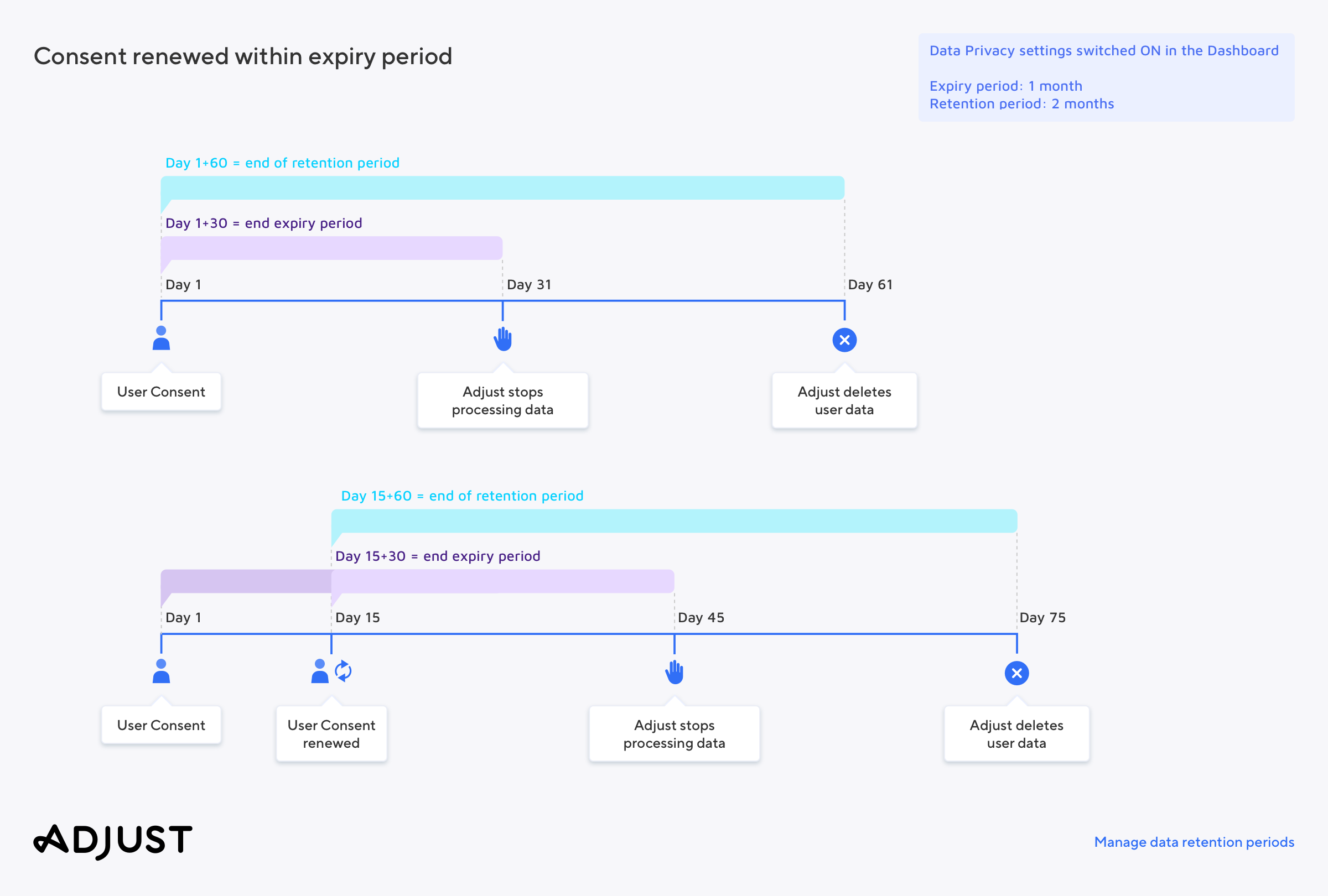
In this example, the expiry period is set to 1 month and the retention period is set to 2 months. The user consents, and Adjust marks this timestamp as Day 1. We would stop collecting and using the user's data at the end of the consent expiry period on T1+30 (31st day) and delete the user-level data at the end of the data retention period on T1+60 (61st day).
After the user renews their consent on Day 15, Adjust updates the consent timestamp. We will now stop collecting and using the data on T15+30. We delete the user-level data at the end of the new data retention period on T15+60.
Consent renewed after the expiry period ends
If a user renews their consent after the consent expiry period ends, Adjust calculates a new expiry and retention period and resumes receiving and using data. Between the end of the original consent expiry period and the renewed consent, Adjust does not collect or use any user data.
Example:
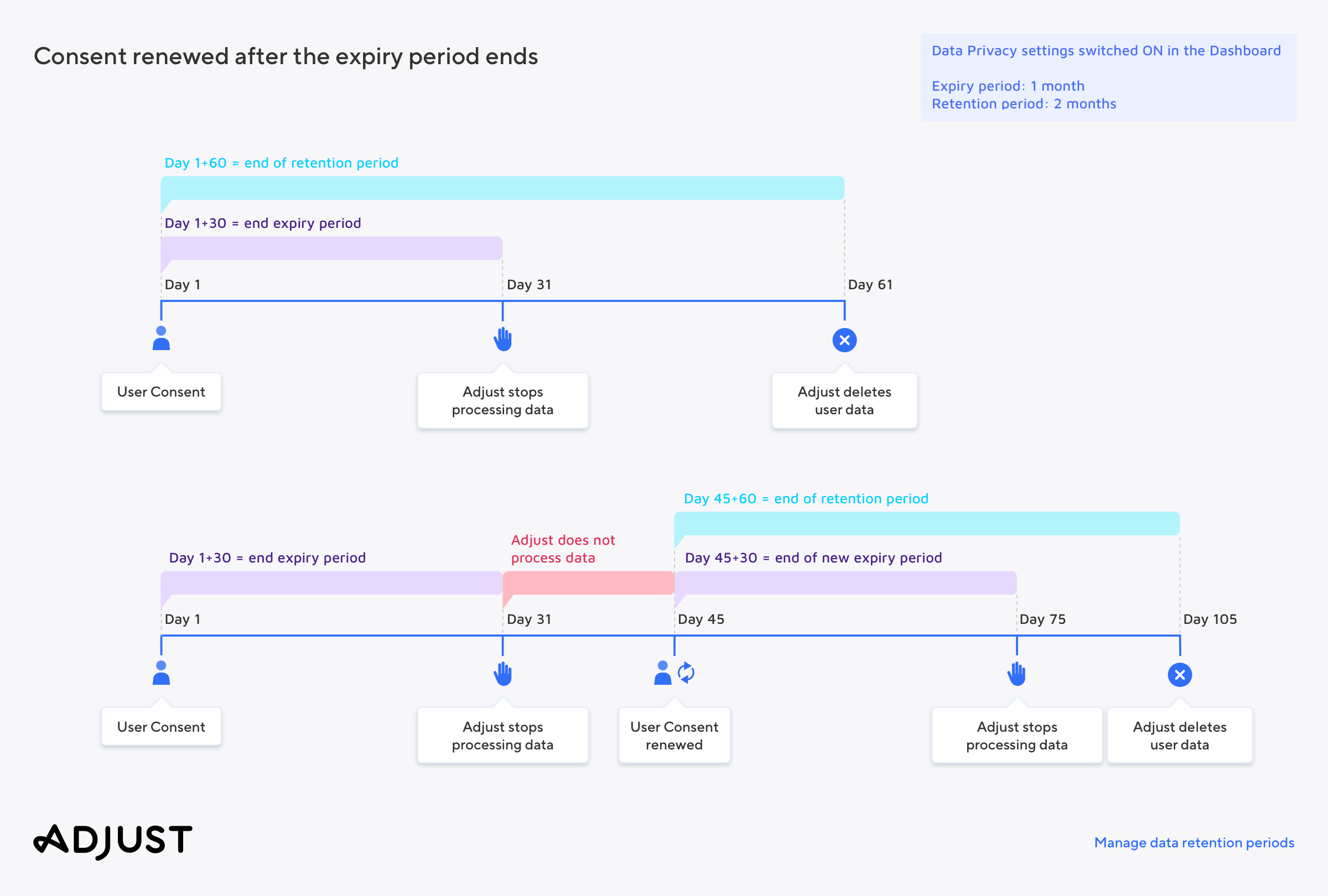
The expiry period is set to 1 month and the retention period is set to 2 months. The user consents, and Adjust marks this timestamp as Day 1. We would stop collecting and using the data at the end of the consent expiry period on T1+30 (31st day) and delete the user-level data at the end of the data retention period on T1+60 (61st day).
On day 45, the user renews their consent. Adjust creates a new expiry and retention period and resumes collecting and using data.
Consent updated before Adjust measures an install
In some cases, a user may set or change their consent status before Adjust measures their install. This can happen if your app calls Adjust.trackMeasurementConsent(true) method before the Adjust SDK initializes and tracks the first session.
When the consent is measured before SDK initialization, we create a device record and new link for the user. Adjust attaches the consent data to this link and device record for data collection and retention calculations.
The link name is: Measurement Consent Updated Before Install
To avoid this scenario, follow our instructions on how to set up your SDK to receive user consent after install.