Web URL-based deep link routing
Web URL-based routing is available for customers with TrueLink Core Starter, Core Standard, and Enterprise plans. Reach out to sales@adjust.com to upgrade now.
'Web URL-based Deep Link Routing', is a TrueLink feature designed to simplify how marketers create and manage deep links for their mobile app campaigns. It allows you to use familiar web URLs as the primary routing mechanism for Adjust App deep links, rather than requiring specific app deep link paths.
This feature is particularly beneficial for cross-platform advertisers, such as e-commerce brands, who maintain parity between their website and native app content. For these businesses, a web URL often corresponds directly to a specific page or product within their app.
How it Works
Traditionally, creating a deep link required knowing the exact app scheme deep link path (e.g., example://products/blue-t-shirt). With Web URL-based Deep Link Routing, you can now input a standard web URL (e.g., https://www.example.com/products/blue-t-shirt) when creating your Adjust link.
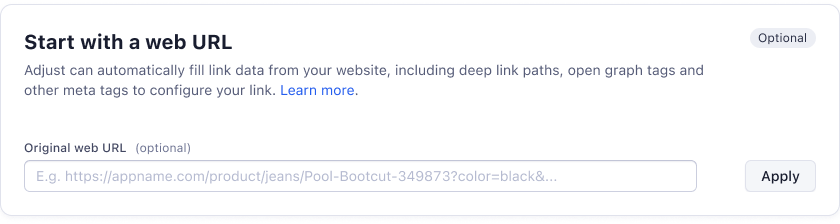
Here's a simplified overview of the process:
- Input Web URL: When creating a new Adjust link (via the UI or API), you'll have an option to specify a "Web Deep Link URL" as your destination.
- Adjust Processes the URL: Adjust will process this web URL. If you have "Enable Link Scraping" turned on, Adjust can automatically retrieve meta tags like the title, description, and image for social link previews.
- Link Creation: The web URL can be incorporated into the Adjust long link, either as the base link path or as a specific query parameter (
adj_link). Thisadj_linkparameter ensures the web URL information is carried through the user's journey. - Routing to App Content:
- Direct Deep Linking (app installed): If the user has the app installed, the operating system (OS) or Adjust's routing logic will use the information from the web URL (or the associated app scheme deep link) to direct the user to the correct content within the app. The app developer will need to set up their deep link handling logic to retrieve and parse this web URL for in-app routing.
- Deferred Deep Linking (app not installed): If the user doesn't have the app installed, they will be sent to the app store. After installation, the Adjust SDK will deliver the web URL information to the app as a deferred deep link, allowing the app to route the user to the intended content upon their first open.
Use Cases
- E-commerce & Cross-Platform Advertisers: Ideal for businesses with web-to-app content parity. Marketers can use their existing web product URLs to create app deep links, streamlining campaign management for thousands of products.
- Non-Technical Marketers: Eliminates the need to consult with engineers for specific app deep link paths. Marketers can use familiar web URLs, abstracting the technical complexities of deep linking.
- Automated Link Creation: Facilitates dynamic generation of Adjust deep links from web URLs by marketing automation platforms, affiliate networks, or email service providers, enabling real-time link redirection and scalable in-app routing.
- Seamless Web-to-App Transitions: Provides a smoother user experience for users moving from web content to the corresponding app content, improving engagement and conversions.
Examples
Scenario: A marketer wants to deep link users to a specific "Blue T-Shirt" product page within their e-commerce app.
Without Web URL-based Routing (Traditional Method):
The marketer would need to know the specific app deep link path, e.g., example://products/blue-t-shirt. If the iOS and Android app deep link paths were different, they would need to manage both.
With Web URL-based Routing (TrueLink):
The marketer simply inputs the web URL for the product: https://www.example.com/products/blue-t-shirt.
- UI Link Creation: In the Adjust Dashboard, the marketer enters
https://www.example.com/products/blue-t-shirtinto the "Web Deep Link URL" field. - API Link Creation: The marketer sends an API request including
adj_link=https://www.example.com/products/blue-t-shirt. - Dynamically Assembled Links: A marketing platform constructs the Adjust long link in a spreadsheet or any other UI outside of Adjust with the parameter
adj_link=https://www.example.com/products/blue-t-shirt.
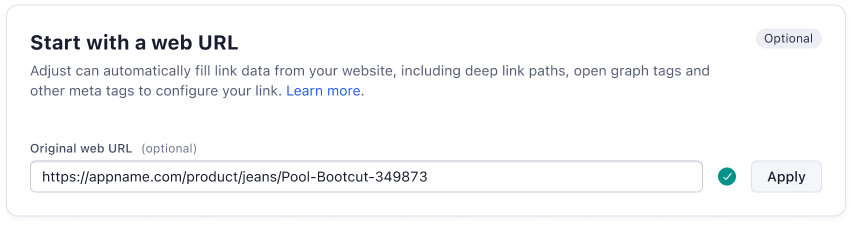
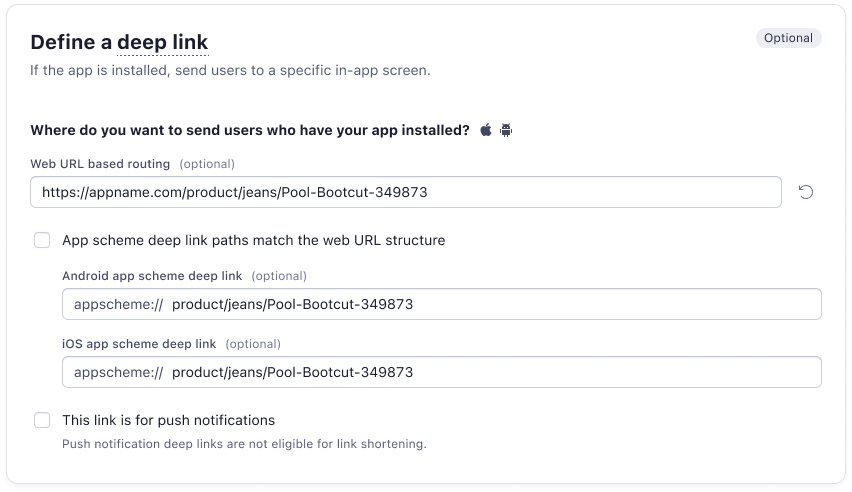
Adjust then handles the internal logic to ensure that:
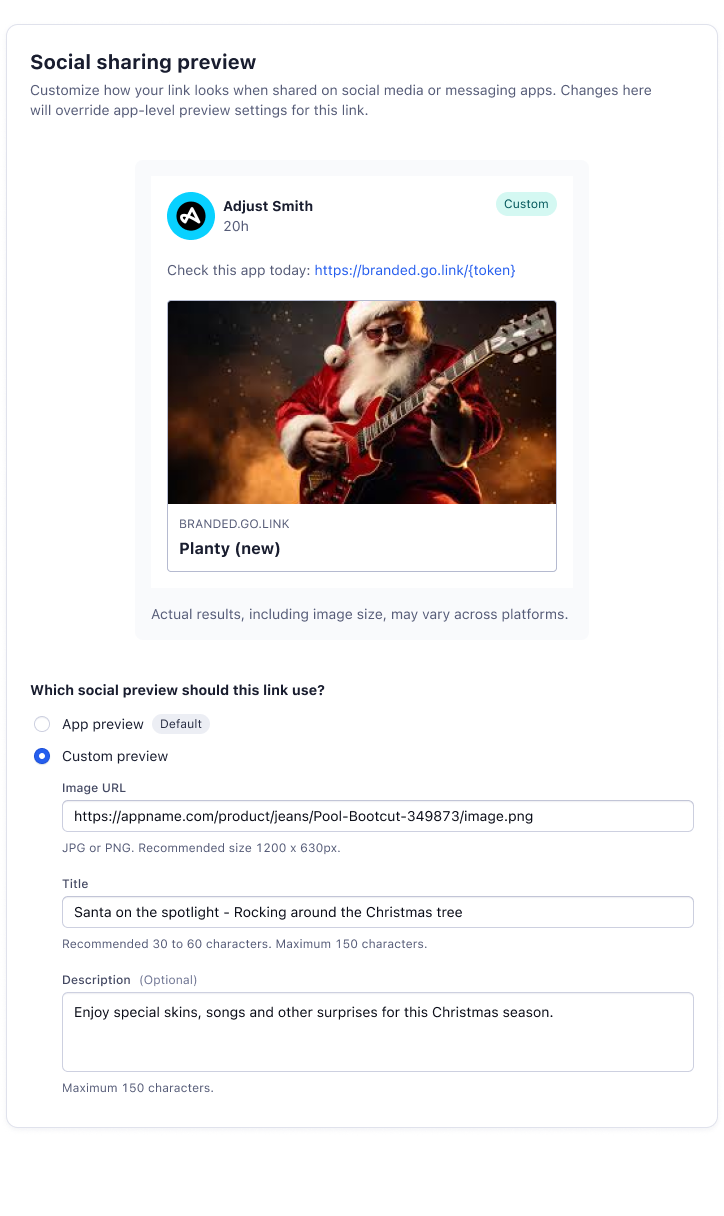
- The Open Graph Tags (og_title, og_description, og_image etc.) are scraped from the website meta tags and automatically added to the link
- If the marketer wishes to configure the redirect or fallback as a Custom URL (instead of App Store defaults), the value of web URL
https://www.example.com/products/blue-t-shirtis pre-populated
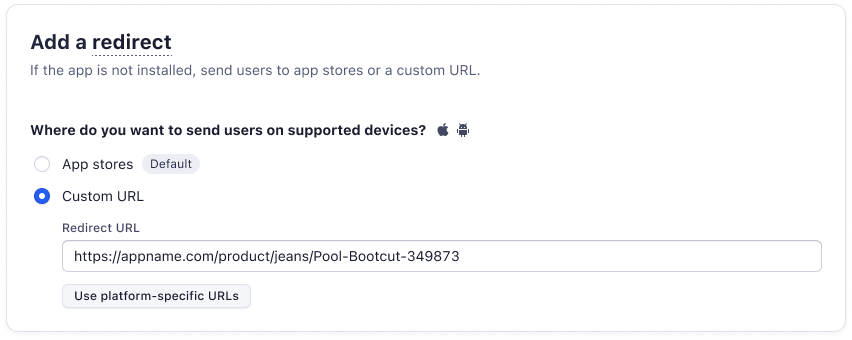
If the user has the app installed, they are directed to the "Blue T-Shirt" page within the app.
If the user doesn't have the app installed, they are taken to the app store, and upon installation and first open, they are routed to the "Blue T-Shirt" page.
This simplifies the process significantly for marketers, eliminating several error-prone manual steps and allowing them to focus on campaign strategy rather than managing complex deep link mappings.